Everyday modules
Printing
The 80 and 58 mm, Letter and A4 formats, and how to set up the thermal printer.
What it is for
Pixel One prints on four papers: Thermal 80 mm, the roll most point-of-sale printers use; Thermal 58 mm, for small and portable printers; Letter (8.5 × 11 inches) and A4 (210 × 297 mm). This page explains how you choose the company's paper and each cash register's, what the print screen does and how to set up the thermal printer once.
Before you start
- The printer installed on your computer, with its driver, like any other printer. Pixel One prints through the browser's print dialog; it needs no extra software.
- The Configure the company permission to change the paper in Settings and in Cash registers.
- Chrome or Edge to print straight from the app. In Safari and Firefox the document opens in another tab and you print it from there.
The formats
The same invoice on the four papers. Open each one to see it whole:
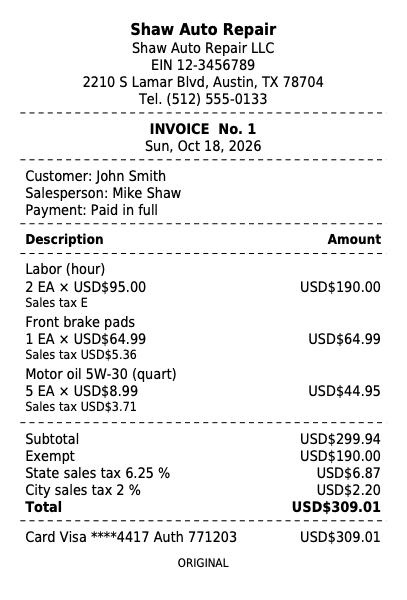
Invoice on a thermal roll
80 mm · PDF
Open the PDF
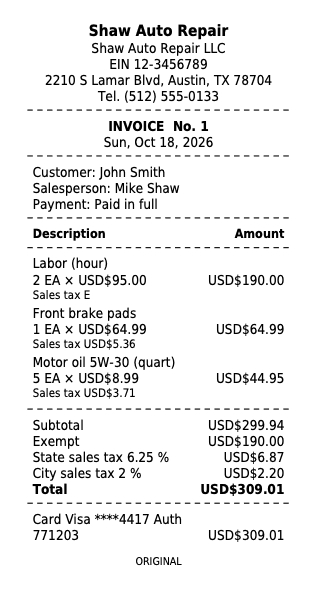
Invoice on a small roll
58 mm · PDF
Open the PDF
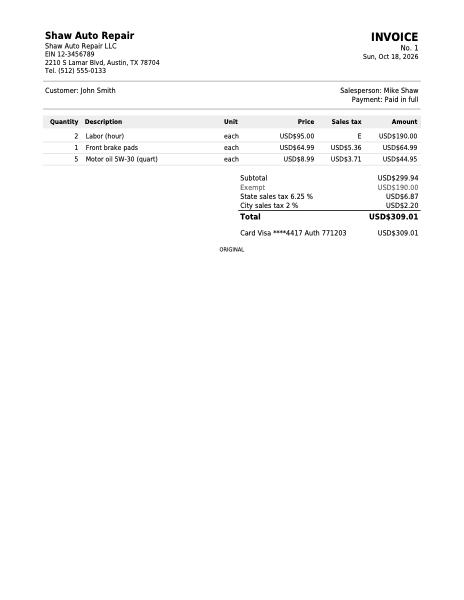
Invoice on a sheet
Letter · PDF
Open the PDF
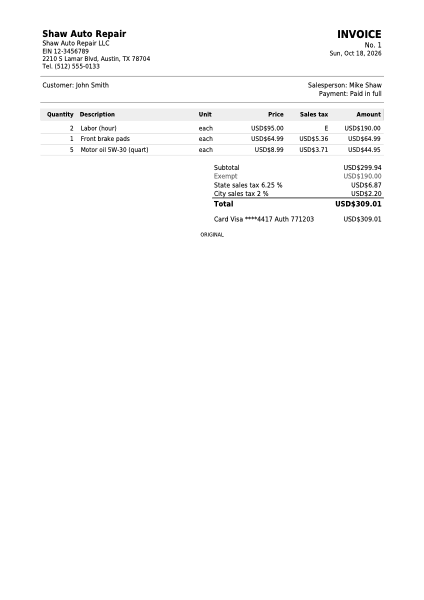
Invoice on a sheet
A4 · PDF
Open the PDF
On a roll, the document fills the width the printer reaches (72 mm on an 80 mm roll, 48 mm on a 58 mm roll) and the page is exactly as long as the document: no paper is wasted. On Letter and A4, the header repeats on every sheet and each one is numbered.
Choosing the paper
The company's paper
In Settings, Printing tab:
- Invoice and receipt paper: how invoices and credit notes come out when you click Print. It starts as Thermal 80 mm.
- Page size: Letter or A4, the paper of Print on sheet, for when the customer asks for the invoice on a sheet.
- Logo for thermal printers: thermal printers print only in black. Upload your logo with Upload black and white logo; without it, the receipt uses your logo converted to black and white.
Click Save changes.
Each cash register's paper (optional)
If a cash register has a different printer (a 58 mm thermal at the bar and an 80 mm one at the counter, for example), in Cash registers open the cash register's menu, click Edit and choose This cash register's printer. The company's uses the one in Settings. What you choose here wins over the company's for what is sold at that cash register.
The print screen
When you print an invoice, a credit note, a quote, or a work order's estimate or repair order, Pixel One prepares the document on your cash register's paper (or the company's) and opens the print dialog on its own. At the top you have:
- Paper: changes the paper for this print, without touching the settings.
- Download PDF: saves the document to send by email or WhatsApp.
- Open in a new tab: the PDF on its own, to print from the browser's viewer.
- Print: opens the dialog again.
On a roll, the screen reminds you: "In the print dialog pick the thermal printer, the roll paper (80 mm) and 100 % scale". That is what follows.
Setting up the thermal printer
Do it once on each computer that prints receipts. The browser remembers what you choose for next time.
The roll in the printer
In your system's printer preferences (on Windows, Printers & scanners; on a Mac, System Settings, Printers & Scanners), choose the roll paper you use: 80 mm (some drivers call it "80 x 297 mm") or 58 mm.
The browser's print dialog
Print a test invoice and, in the dialog, check:
Option What you choose Destination or printer The thermal printer, not "Save as PDF". Paper size The roll: 80 mm (or 58 mm), the same as the printer's. Scale 100 %, or "Actual size". Never "Fit to printable area". Margins "None", if the dialog offers it. Headers and footers Off, if the option appears. In Chrome, scale, margins and headers are under "More settings".
Compare with the sample
The receipt should come out as wide as the roll, readable and not cut at the sides, like this one:
Collection and deposit receipts, the Z report, a table's pre-bill and the pickup receipt also come out 72 mm wide for the roll. With margins on "None" and scale at 100 % they look right; with the browser's margins they can come out cut or shrunk.
Product labels have their own formats (Roll 50 × 25 mm and Letter sheet 3 × 10). See Catalog.
By country
Letter is the usual sheet. The invoice comes out in the company's document language, with no tax receipt and each sales tax by its name. See United States.
Common mistakes
- "The receipt prints tiny." It is almost always the scale: set it to 100 % (or "Actual size") and the paper to the roll, not Letter.
- "It is cut on the right, or there is a wide margin." Margins on "None" and the paper size the same as the printer's roll.
- "The print dialog does not open." In Safari or Firefox the document opens in another tab when you click Print: print it from there.
- "A cash register prints on a paper I did not want." Check This cash register's printer in Cash registers: it wins over the company's.
- "The logo comes out as a black blot." Upload a black and white logo in Logo for thermal printers.
Next step
Who voided or changed each thing, and when: History and control.